
GPS Status APK v11.4.316 (Offline Mode) Download Now
11.4.316
February 10, 2026
Travel & Local
MobiWIA Kft
Android 5.0+
5.1 MB
What is GPS Status & Toolbox APK?
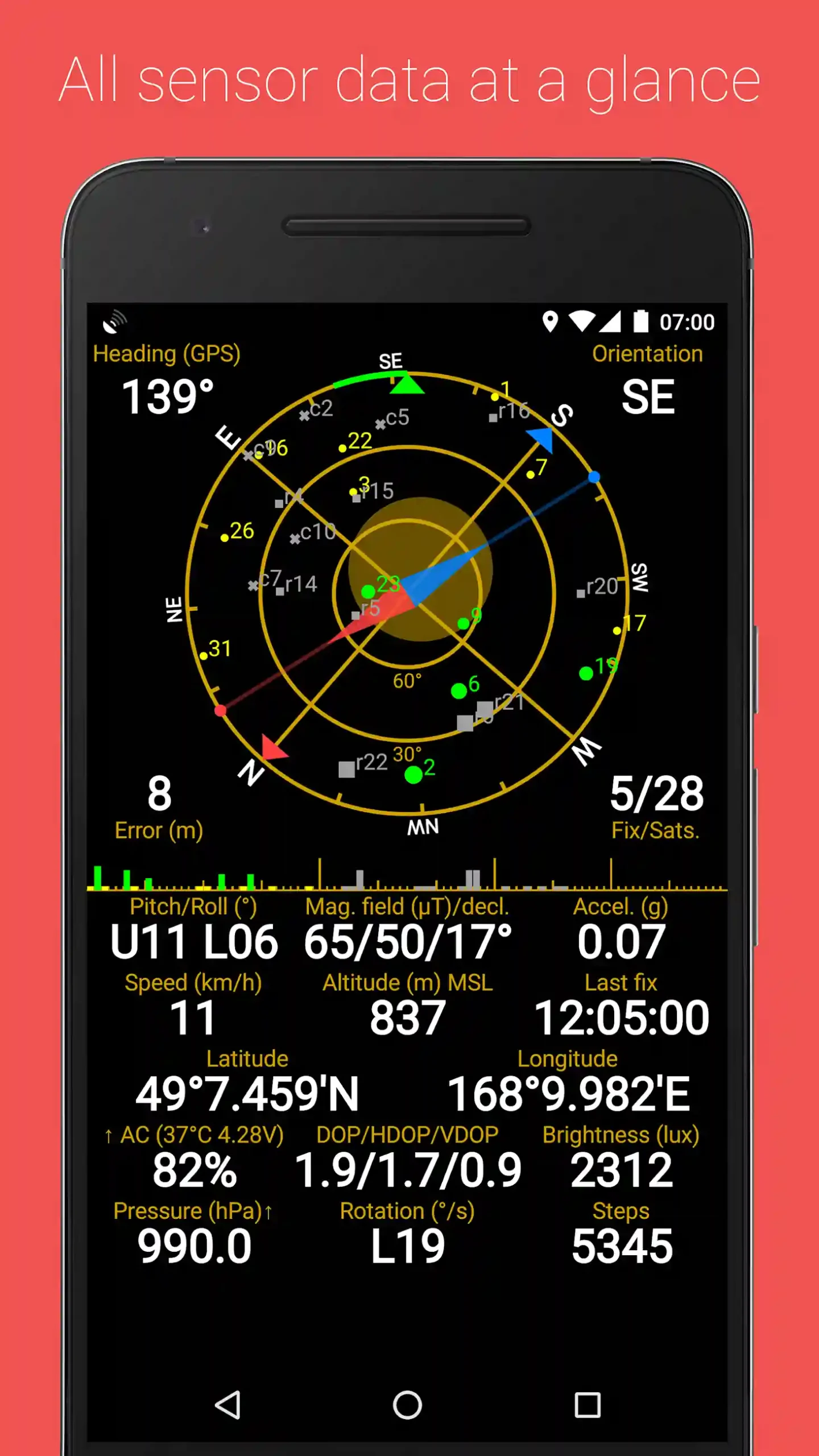
GPS Status & Toolbox is a comprehensive navigation and GPS diagnostic application designed for Android devices. This powerful tool goes beyond basic location services to provide users with detailed satellite information, advanced compass functionality, speed tracking, and essential navigation tools all in one convenient package.
Whether you’re an outdoor enthusiast, professional surveyor, geocacher, or simply someone who wants to understand how GPS works on their device, GPS Status APK delivers professional-grade features in an accessible format. The app has been trusted by millions of users worldwide since its initial release and continues to be updated with enhanced functionality
Key Features of GPS Status & Toolbox
Satellite Tracking & Visualization
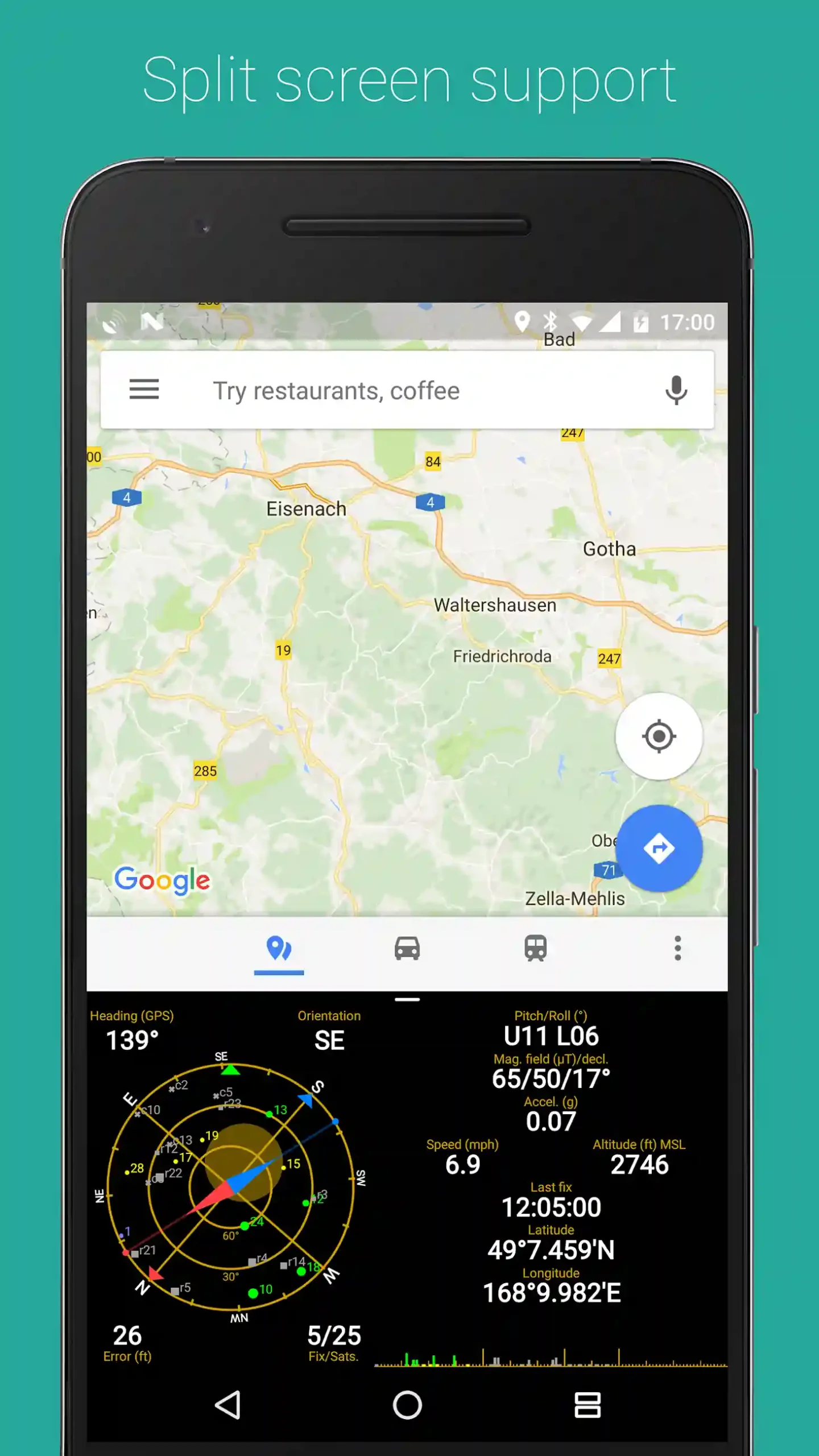
- Real-time satellite view: See GPS, GLONASS, BeiDou, Galileo, and QZSS satellites in real-time
- Signal strength monitoring: Track signal strength from individual satellites
- Sky plot and radar view: Visualize satellite positions with intuitive graphics
- Satellite information: View azimuth, elevation, signal-to-noise ratio, and satellite IDs
Advanced Compass Tools
- Digital compass: Accurate heading information with magnetic and true north options
- Compass calibration: Built-in calibration wizard for optimal accuracy
- Bearing tracking: Lock on to specific directions and track your course
- Solar and lunar compass: Find the position of the sun and moon
Location & Navigation Features
- Precise coordinates: Display latitude, longitude, and altitude in multiple formats
- Speed measurement: Current speed, average speed, and maximum speed tracking
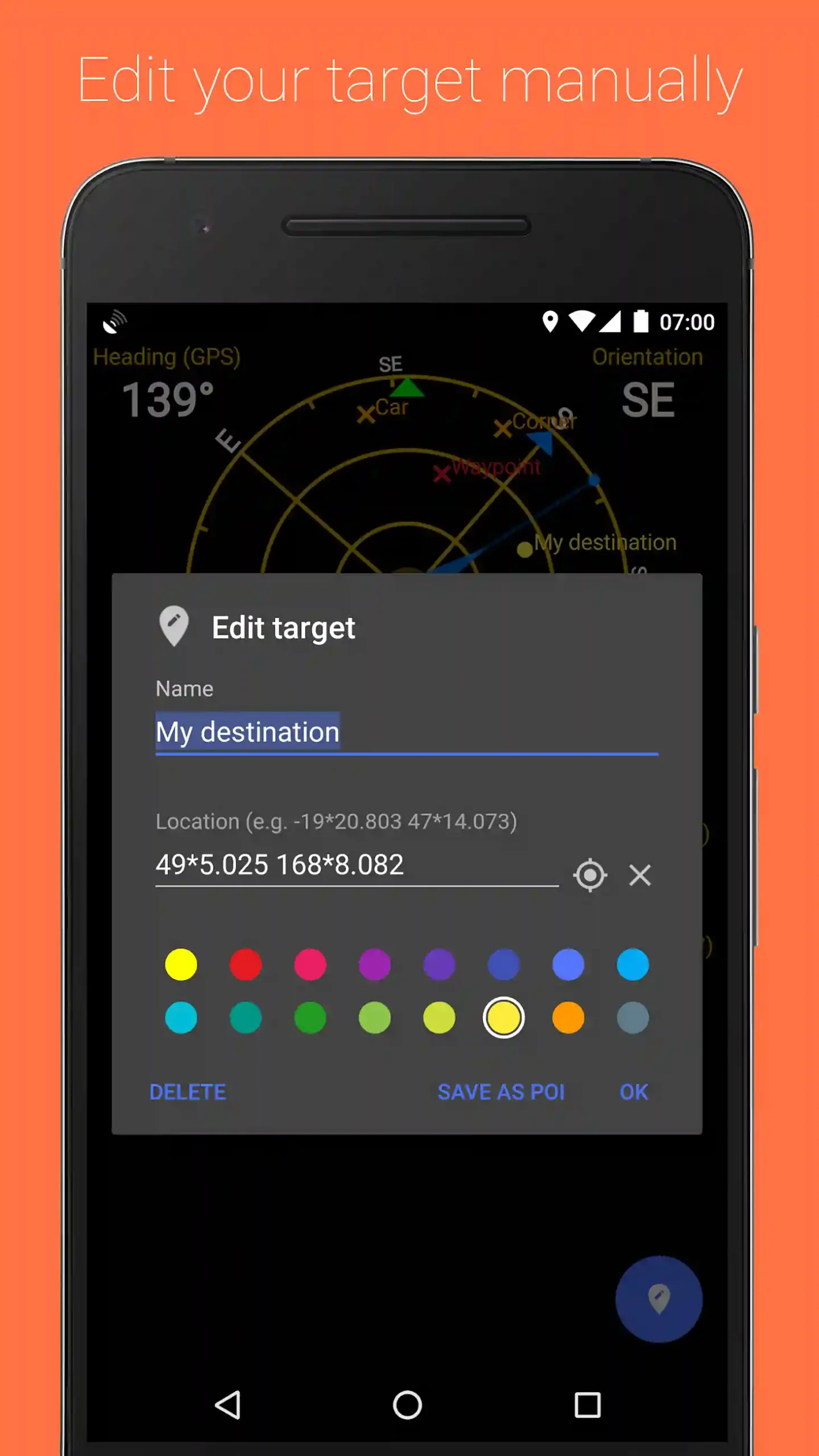
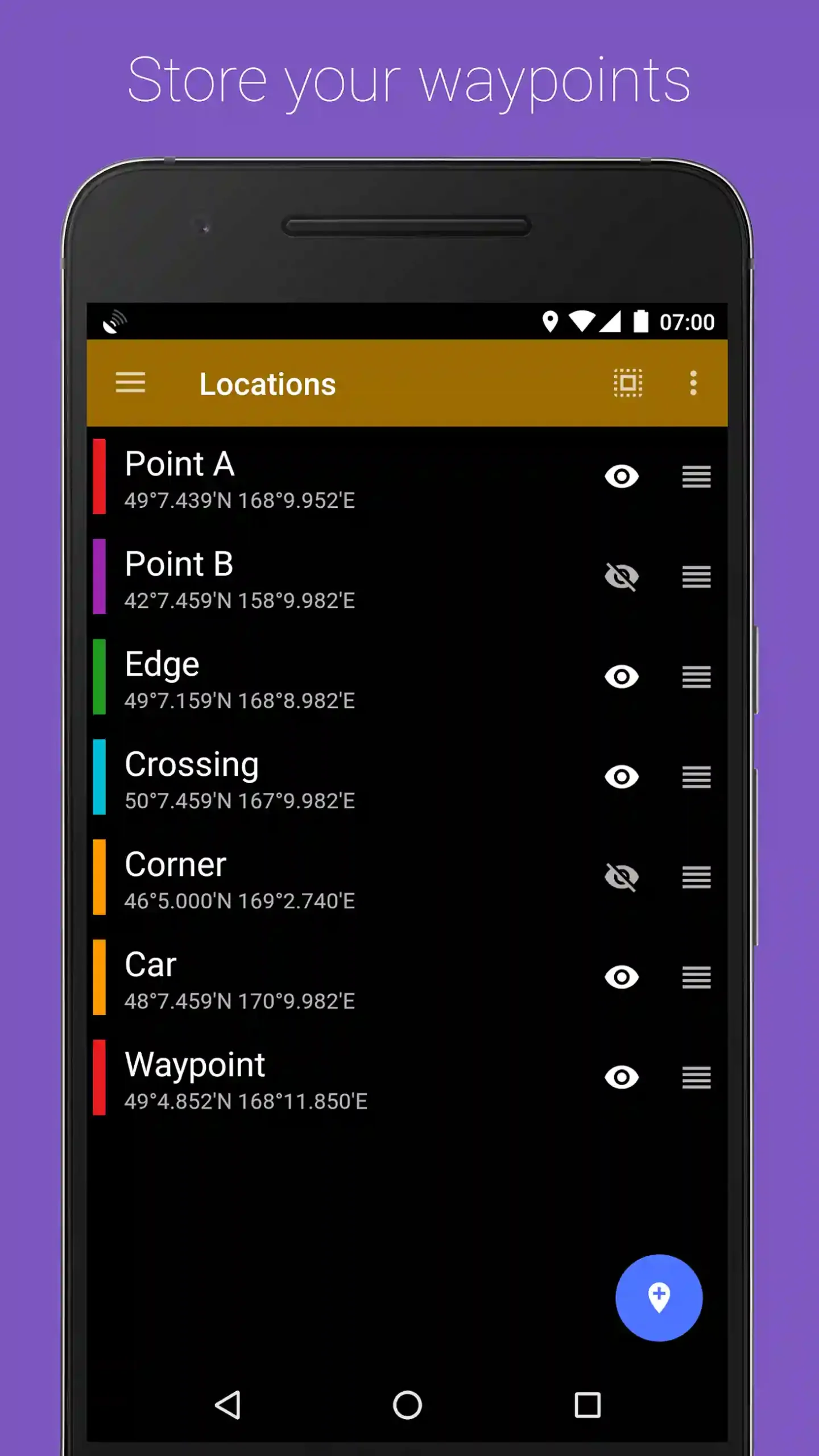
- Mark and navigate: Save waypoints and navigate to specific locations
- Distance calculations: Measure distance between your position and marked points
- Coordinate sharing: Share your location via SMS, email, or social media
GPS Diagnostics & Tools
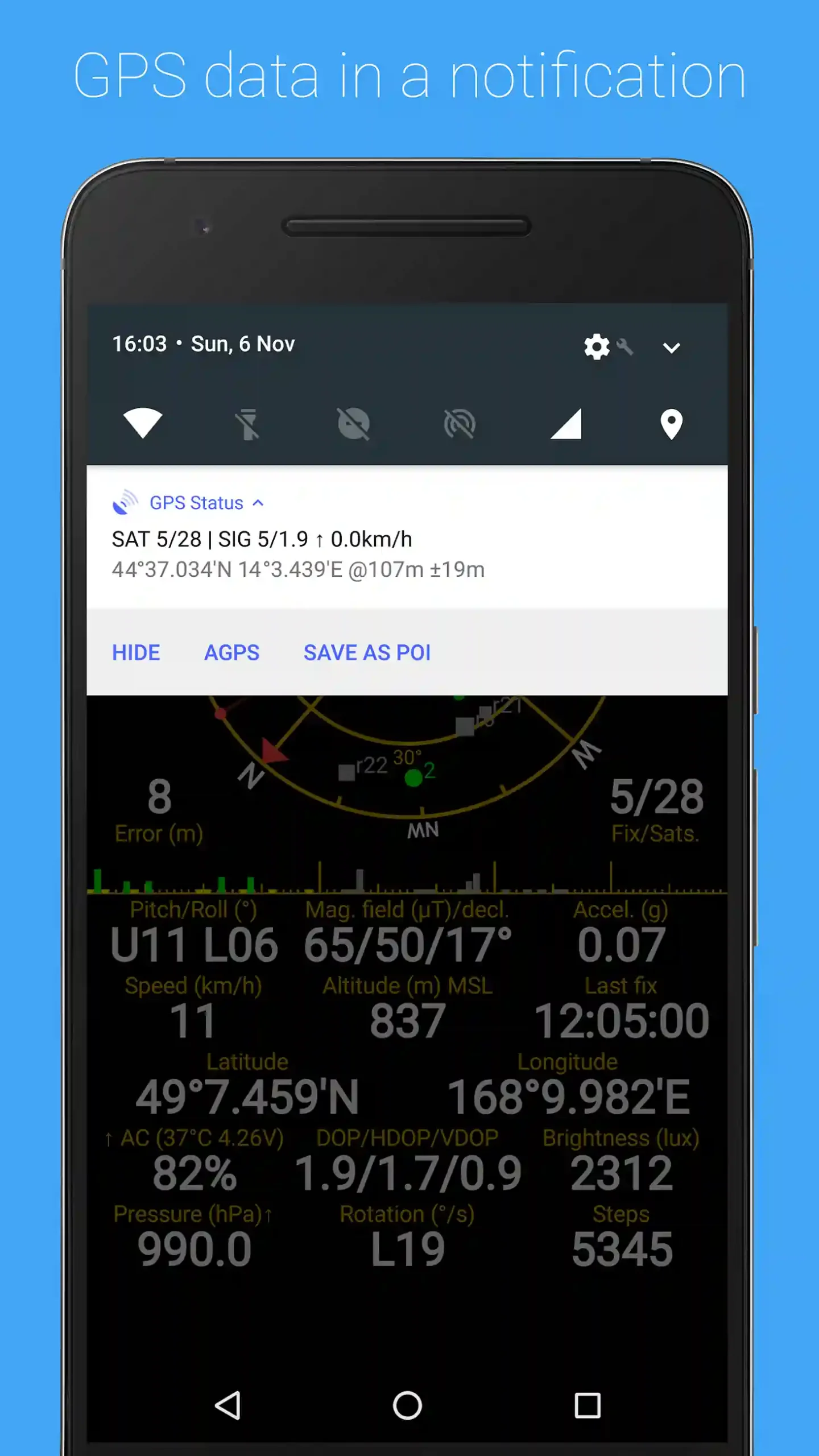
- GPS status information: Monitor GPS fix status, accuracy, and time to first fix
- AGPS data management: Download and clear assisted GPS data to improve performance
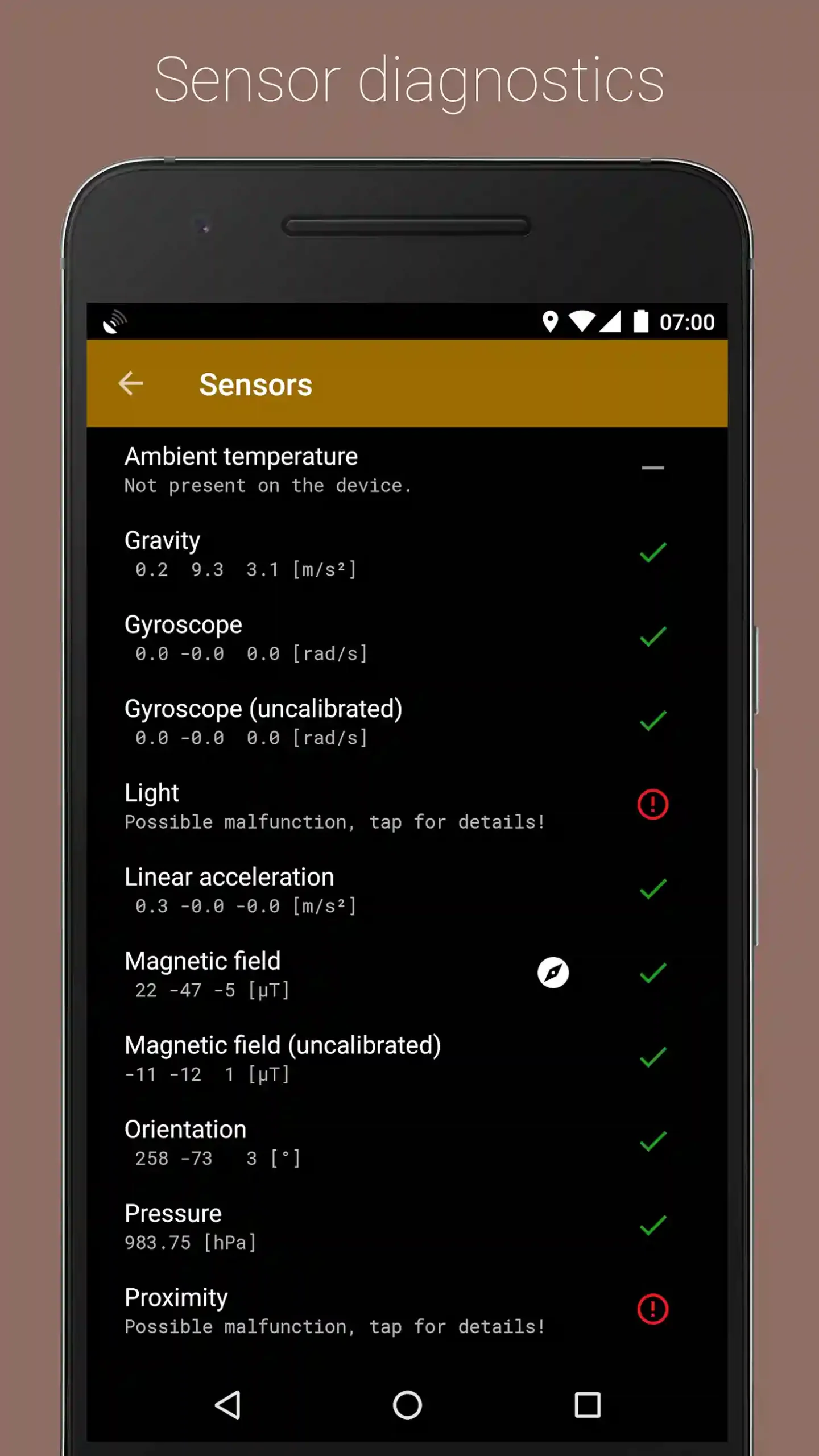
- Sensor information: Access data from accelerometer, magnetometer, and other sensors
- Battery monitoring: Track battery consumption during GPS usage
- Performance optimization: Tools to improve GPS lock time and accuracy
Data Display & Recording
- Customizable dashboard: Choose which metrics to display on your main screen
- Multiple coordinate formats: Support for degrees, degrees/minutes, degrees/minutes/seconds, UTM, and MGRS
- Sunrise and sunset times: Calculate sunrise, sunset, and twilight times for any location
- Moon phases: View current moon phase and moonrise/moonset times
How to Download and Install GPS Status APK
Follow these simple steps to download and install GPS Status & Toolbox APK on your Android device:
Step 1: Enable Unknown Sources
- Open Settings on your Android device
- Navigate to Security or Privacy
- Find and enable Install from Unknown Sources or Allow from this source
- Confirm your selection if prompted
Step 2: Download GPS Status APK
- Visit APK-Venom.com on your mobile browser or desktop
- Search for “GPS Status & Toolbox” or navigate to the Travel & Local category
- Click the Download APK button
- Wait for the download to complete (file size: approximately 5.8 MB)
Step 3: Install the Application
- Open your device’s Downloads folder or notification panel
- Tap on the downloaded GPS Status APK file
- Click Install when prompted
- Wait for the installation process to complete
- Tap Open to launch the app or find it in your app drawer
Step 4: Initial Setup
- Launch GPS Status & Toolbox for the first time
- Grant necessary permissions (Location, Storage, Phone if requested)
- Wait for the app to acquire satellite signals (may take 1-3 minutes initially)
- Calibrate your compass by following the on-screen figure-8 motion
- Customize your dashboard by accessing settings
How to Use GPS Status & Toolbox Effectively
Getting the Best GPS Signal
To maximize your GPS accuracy and satellite reception:
- Move to an open area away from tall buildings, dense trees, or tunnels
- Hold your device with the screen facing upward toward the sky
- Wait patiently for the app to connect to multiple satellites (typically 4-12 satellites for optimal accuracy)
- Use the “Download AGPS data” feature in settings to improve initial lock time
- Restart your GPS if experiencing persistent connection issues
Compass Calibration
For accurate compass readings:
- Open GPS Status and access the compass view
- Hold your device flat and move it in a figure-8 pattern
- Repeat the motion 3-4 times until the compass stabilizes
- Keep away from magnetic interference sources (speakers, metal objects, electronics)
- Recalibrate periodically, especially if you notice accuracy drift
Saving and Navigating to Waypoints
- At any location, long-press the screen to open the context menu
- Select “Mark position” to save your current location
- Give your waypoint a descriptive name
- Access saved waypoints from the menu to view distance and bearing
- Use the navigation arrow to guide you back to saved locations
GPS Status vs. Competing Navigation Apps
| Feature | GPS Status | Google Maps | Compass Apps |
|---|---|---|---|
| Satellite Visualization | ✅ Excellent | ❌ None | ❌ None |
| Compass Functionality | ✅ Advanced | ⚠️ Basic | ✅ Good |
| GPS Diagnostics | ✅ Comprehensive | ❌ Limited | ❌ None |
| Offline Capability | ✅ Full | ⚠️ Partial | ✅ Full |
| Battery Efficiency | ✅ Very Good | ⚠️ Moderate | ✅ Excellent |
| Technical Data | ✅ Extensive | ❌ Minimal | ⚠️ Limited |
| Turn-by-Turn Navigation | ✅ None | ✅ Excellent | ❌ None |
Pros and Cons
✅ Pros
- Comprehensive satellite tracking for all major GNSS systems
- Extremely accurate compass with calibration tools
- Works completely offline without internet connection
- Low battery consumption compared to full navigation apps
- Detailed technical information for professionals
- Lightweight app size (under 6 MB)
- Regular updates and active development
- Multiple coordinate format support
- Useful tools for geocaching and outdoor activities
- Premium features unlocked in this version
❌ Cons
- No turn-by-turn navigation instructions
- Interface may seem complex for beginners
- Requires clear sky view for optimal performance
- Some features require learning curve
- Cannot replace full-featured mapping apps
- Compass accuracy depends on device sensors
- Initial GPS lock can take time in difficult conditions
Who Should Use GPS Status & Toolbox?
This application is ideal for:
- Hikers and Outdoor Enthusiasts: Track your position, altitude, and speed during adventures
- Geocachers: Precise coordinate readings help locate hidden caches
- Surveyors and Engineers: Professional-grade GPS data for fieldwork
- Sailors and Boaters: Reliable navigation information without cell service
- Pilots and Aviation Enthusiasts: Altitude and speed monitoring tools
- Amateur Radio Operators: Accurate positioning for radio activities
- Photographers: Track sun and moon positions for perfect lighting
- Tech Enthusiasts: Understand how GPS and sensors work on your device
- Travelers: Share precise coordinates in emergency situations
- Researchers: Collect GPS data for studies and projects
Take It Further: Advanced Tips
Improving GPS Accuracy
- Enable all GNSS systems in your device settings (GPS, GLONASS, Galileo, BeiDou)
- Clear AGPS data and re-download it weekly for better performance
- Avoid using battery saver modes while running GPS applications
- Keep your device updated to the latest Android version for optimal GPS drivers
Data Export and Analysis
- Export waypoints in KML format to view them in Google Earth
- Use GPX format for compatibility with hiking and mapping applications
- Record GPS tracks during activities and analyze them later
- Share technical GPS data with developers when troubleshooting device issues
Professional Applications
- Survey land boundaries using precise coordinate readings
- Document GPS performance for device testing and comparison
- Calculate sunrise/sunset times for photography planning
- Monitor satellite availability for critical navigation operations
Privacy and Security Considerations
GPS Status & Toolbox respects your privacy by:
- Not collecting or transmitting your location data to external servers
- Operating completely offline after initial setup
- Storing all waypoints and data locally on your device
- Not requiring account creation or personal information
- Providing transparent permission requests with clear explanations
When installing from APK-Venom.com, ensure you’re downloading from our official website to avoid modified versions that might compromise your privacy.
Common Issues and How to Fix Them
GPS Not Working
- Verify location services are enabled in Android settings
- Restart your device to reset GPS hardware
- Clear AGPS data in GPS Status settings and re-download
- Ensure you have clear sky visibility
- Update to the latest version of GPS Status
Compass Inaccuracy
- Recalibrate using the figure-8 motion technique
- Move away from magnetic interference sources
- Check if your device has a functioning magnetometer in settings
- Some cheap Android devices have poor compass sensors
App Crashes or Freezes
- Clear app cache and data from Android settings
- Uninstall and reinstall the application
- Ensure you have sufficient free storage space
- Update your Android OS to the latest available version
Final Thoughts
GPS Status & Toolbox APK stands out as an essential utility for anyone who needs detailed GPS information, accurate compass readings, or wants to understand satellite navigation systems better. While it won’t replace your primary navigation app for driving directions, it serves as an invaluable diagnostic tool, outdoor companion, and professional-grade GPS utility.
The premium unlocked version available on APK-Venom.com provides complete access to all advanced features without the cost barrier, making professional GPS tools accessible to everyone. Whether you’re hiking in remote areas, geocaching on weekends, working in surveying, or simply curious about how GPS works on your device, this app delivers comprehensive functionality in a compact package.




Leave a Reply